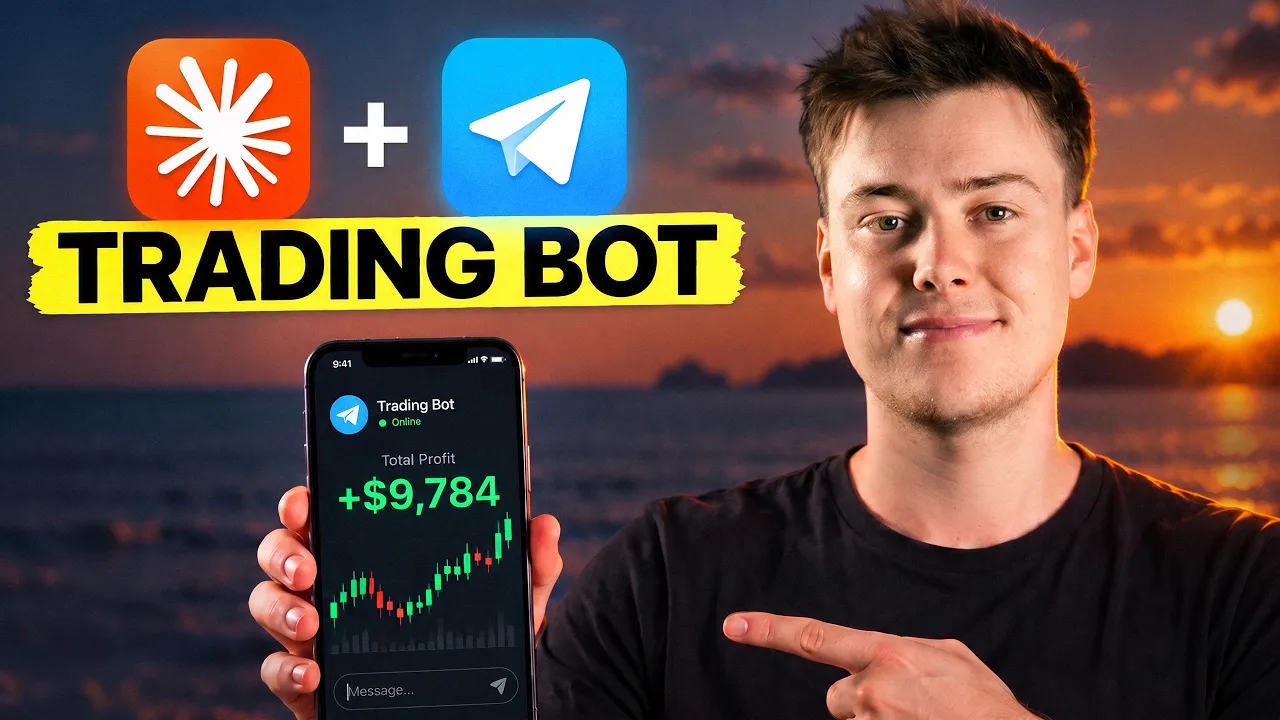
how to actually build a 24/7 ai trading agent (full guide)

- Retorno do vídeo
- —
- Chamadas
- 1
- Compra / Venda
- 1 0
- Publicado
Recomendações
Entrada é o preço de fechamento do ativo na data de publicação. Atual é o último fechamento registrado.
-
Entrada $227,21 29 set 2026Atual $227,21 29 set 2026Resultado +$0,00vs. índice +0,0% SPY +0,0% no mesmo período
Citar esta recomendação Ver trecho original (867s) *
Contexto da transcrição original
… know, I follow up pumped and I basically just have these conversations throughout the day. Uh, that helped inform me and made me spot. Now, let's get into something that's really cool. I can just open trades right now by phone. I can say, could you buy $100 worth of Nvidia stock? And it will literally place the order. If you went onto my computer right now, which is on the other side of the world, you could literally see the order being placed on my brokerage. Probably just sick. I could even ask you, could you set…
could you buy $100 worth of Nvidia stock?
Contexto extraído por IA Now, let's get into something that's really cool. I can just open trades right now by phone. I can say, could you buy $100 worth of Nvidia stock? And it will literally place the order. If you went onto my computer right now, which is on the other side of the world, you could literally see the order being placed on my brokerage.
Transcrição Completa
Could you buy $100 worth of Nvidia stock? Break down my portfolio by sector. Could you set an order for tomorrow morning at 9:00 a.m.? I want you to rebalance. So, what you just saw was me on the beach telling my AI trading bot to open a trade. I move around a lot and do a lot of travel. I go to conferences, network, and when I first started doing this, the problem I found was my trade execution absolutely nosedive. I was missing trades. I was missing invalidations. I wasn't keeping up to date with my portfolio and I knew something had to change. So that's why at the beginning of this year I started to build a new system. A system where I could control my portfolio with an AI agent on my phone and everything from market insights, market updates and trade execution can be autonomously handled for me. This genuinely wasn't possible last year. Only now do we have the exchange MCPs, the tech on the LLM side, and the bot connection to make this possible. And I truly believe that in the future, we're moving away from an environment where traders need to be at their desk manually with a mouse typing, opening trades. I think that people are going to be able to trade from anywhere with agents. They can just speak into their phone, tell the agent what they want, and it's going to execute on their behalf. In today's video, I'm going to show you exactly how you can build this for yourself. You're going to walk away with the exact same system that I use to manage my portfolio on the go. In the description down below, I'm going to leave the full oneprompt setup guide from today's video so you can just put it into your own claude code or codeex to set this up for yourself. And that's going to be inside my free school community where you'll also get access to all of the resources from every video, new strategies and resources from myself and my team. All right, so firstly, let's discuss the architecture. How is this actually running? Well, the first thing you need is you need an always on machine. There are a few options for this. What I do personally is I have a Mac Mini that's always on that's running a live Claude code session 24/7. This is essentially the brain. This is what is going to give instructions to the exchange and fetch the data from my data sources which are the real alpha of this video. So mine's a Mac. You might not want to go out and buy a new Mac. That's fine. You can use an old computer that you're happy to keep running 24/7. Or you can use your main computer running 24/7, but it's really difficult if you have a laptop. it's only really possible on a desktop and then you do introduce some security concerns. So what I recommend to a lot of people that are just starting out is before you commit to buying hardware, you could start on a VPS, let's say for $10 a month because you don't need this to be a high RAM device. You're simply just interfacing with the terminal. All it needs is access to the internet and the ability to run claude. So you could set up a VPS for relatively cheap and then have this device operating 24/7. Of course, owning your own hardware is going to be the better thing longer term, but that shouldn't stop you from experimenting with this stuff and learning in the meantime. Then the next thing that you need is your exchange layer where you actually execute trades. So for crypto or anything per related and a lot of crypto exchanges now have commodities and stocks anyway, I use buy bit and then for equities I use alpaca. I also use Interactive Brokers as well, but I think Alpaca is the simplest way for people to get started because they also have paper trading. And that's what I really recommend when you first start getting into trading bots that you just set this up from today's video, run it on paper trading, so not real money. Get comfortable with it, practice on a fake portfolio, and then graduate to real money after. By the way, down below, if you do need a buy bit exchange account, the exchange that I personally use will always leave the best deal possible at the time of watching the video. These are custom offers that you can't get anywhere else. But no matter whether it's crypto or stocks, I have one memory folder with all my information and context on me as an investor, which we'll get into in a second. So Claude gets the information about me from the memory folder. It gets the information about crypto and equities from the custom connectors, which I'm going to show you, and then Claude digests information from the bot that I can access on my phone [music] through a Telegram connection. That is the architecture. So I can autonomously trade, invest, or do anything [music] relating to my money. Every single one of these pieces is a small thing on their own, but the powerful combination comes where you connect [music] everything together. And because markets and the news cycle pretty much run 24 hours, [music] it's constantly updated with live information. So now I'm going to go through the setup for the crypto side. Then I'm going to go through the setup for the stock market side. I've actually got dedicated videos for both which I'll leave in the description below and in my free school community as well below where you can access the one prompt setup from today's video. I also have all of these resources for you. So, I'm going to go through it quickly cuz what I really want to show you is the bot in action. So, if you want the dedicated tutorials, you can go and watch them separately, but essentially the crypto site is on Bybit. Bybit has an official connection through their MCP. So, you can add it to Claude with one command. Now to actually trade or at least read your account data depending on the setting that you select. You need an API key. So that is going to be the connection between Claude and Bybit via the MCP which is essentially the bridge between the two for you to actually be able to trade. What you could also do is create a test net account on Bybit which has its own login if you want to run you know paper money or you could just open a sub account which is what I recommend for beginners where you don't have all your money. you know, you put a little bit aside to test with AI trading and then you scale up so it's completely separate. And then in my folder system, I have the strategy document with my entire strategy that I define with Claude. I have the ledger of every trade so I can analyze what went right or what went wrong with the trade every single time. So on the stock side, I use Alpaca and Interactive Brokers, but I think for people just getting started, Alpaca is actually easier and they also have paper trading for you to get a feel for things. So, it's generally the same idea as the crypto side, but the way you connect them are different because on Alpaca, paper trading is the default. So, it's on the same account, but you change the setting depending on whether you want to use real money, which you need a KYC for of course, or whether you want to do paper trading. As I said before, to begin with, I think paper trading is the best way to go. So, essentially, all you need to do is take the Alpaca MCP, give it to Claude, and it will set it up for you and tell you what you need to do. And I've also put that as part of the prompt. You can also use codeex for any of this, by the way. So, if you're on GPT, you don't need to switch to Claude for this. I'm just personally a Claude user. And if you're wondering why I'm not using Interactive Brokers here, that's what I use for my real heavy trading because Interactive Brokers is a desktop app that needs to be always on. And I'll use that for like, you know, real trading and like bigger sizes. But Alpaca is essentially a cloud API. So, you can actually do this without having an always on device. So, I wanted to give you guys that flexibility in today's video, but I do use both for different purposes. The next thing you need to make this work properly is a memory folder. So essentially the bots will be able to tap into this folder through claude code or through codeex and all your information lives in that folder. So the ledger of every trade as we discussed the learnings the context on you as an investor information about your financial situation everything needed so the information actually applies to you. But remember because the bot will have access to your livestock or crypto portfolio. It'll always be able to query the real information from your account. But what I recommend to complement that is more of the subjective nuanced information about yourself as an investor or trader, which a portfolio number won't be able to fully justify to the AI. So the cool thing is whenever I'm prompting my phone, because it has access to the same computer with this folder, it knows everything about me. So you know, unlike using a new clawed chat every time, which wouldn't be able to do this anyway, it's not guessing about you. It has all of your information right there. Now, this is one of the coolest parts and it's extremely underrated because I don't think enough people use them. We're going to add connectors. So, as I discussed before, this is the data layer. So, Claude can actually tap in to the real data. So, I use three things. I use Quiver, FMP, and Massive. They all cover different segments of the market. Probably the two I would start with are FMP, which is just going to give you the data set for, you know, live stock data, filings, all of that side of the market, as well as live crypto prices, etc. Quiver is going to give you the more alphabased information like insider trading, congressional filings, hedge fund position management, the more in-depth alpha. So FMP is probably the one to begin with and then you could add quiver later. I've done full videos on both of them, however. So you can go and check those out where I go in-depth on the [music] prompts that I use to use both, but I'll give you some examples of some when I go on my phone in a minute. But essentially to add these connectors, you can go into your claude account, click on settings, click on connectors. FMP is already here. If you type it in, you can add it directly on Quiver. You need to create an account and then give your API key once you've created an account to Claude code and it will connect it for you. But once you have FMP and Quiver connected, you can now start accessing real financial data, which is so much better than Claude because Claude's just scraping the internet. It's not, you know, the live data and it also doesn't have the alpha like Quiver has the alpha because the second a congressional filing or an insider trade pops up, you can actually set an alert to get notified on your bot. So, it's like a massive level up. All right, so now we have the brain and the connections. We have everything. But we're missing the cool part. We're missing the part where I can just be traveling. I can be on the beach. I can be anywhere prompting my phone and managing my portfolio and my trades. That part requires a connection to an application of your choice. But the one I recommend and the one I like using is Telegram. Remember, for this to work, you need your computer to be on. So the solutions I discussed before are what you need here. So your computer's on 24/7. If your computer turns off, the bot will not be able to connect to the local folder that you are trying to access. In order to run this, Telegram has a bot inside it called Bot Father. This will be a part of the setup guide that I give you guys that will create your bot and hands you a token. So, you want to take that token, you want to paste it into Claude code, and it will develop a connection between botfather and Claude. What I like to do to voice prompt is I've downloaded an application called Whisper Flow onto my phone. I use this for everything, by the way. Communications across my personal life, across the business. It's a hack. I barely ever type anymore. And I basically now just voice prompt into my phone. It creates a string of text that I then send. Another thing you could do is just send voice messages and download Whisper on Claude code. it will be able to do that. But that actually slows down the process and sometimes it doesn't decode correctly. So I find Whisper Flow is the best cuz then you can just have the raw text that is much easier for AI to ingest. There are a few hidden benefits to using Telegram and this system in general. Firstly, if your internet's terrible, like if I'm on the plane, it's very easy to send a message to Telegram and then all of the hard stuff's actually happening on my computer. So Telegram is just sending a message to Claude. Claude's doing the execution. So, as long as my Claude has access to internet, it can pull all of the data on that side and then it's just relaying a message to me. So, this is great if you have like bad internet, if you're traveling, which often happens, you know, I can still manage my portfolio. Also, this is probably the best thing. I get alerts on my phone. So, I've got some preset alerts that I have on certain equities for insider trades, parameters on my position. So, for example, if a position drops more than 5% in a day, I get an alert. I even get a market report every single morning to see what my portfolio balance is, what has happened in the major headlines overnight that might impact my portfolio. So, I'm always informed because something that used to happen to me in the past is, you know, when my portfolio was dropping and I didn't want to look at it, I would kind of just brush it to the side. I'd like bury my head in the sand. But the problem with that is I wasn't taking action over things I needed to to set myself up for the future. So, by having these morning reports, I've just made it part of my day. It's happening automatically, so I can ingest all of the information that I need. And I don't need to worry. I don't need to check my accounts or refresh my balances cuz I know if anything weird happens, I'm just going to get an alert on my phone. I'm going to show you this in live action, but I just want to give you a few caveats first. Firstly, make sure that you test this out on paper money or at least a very small amount of money before you start doing this because you may run into some issues. Any issues you do have, Claude or even Codeex are very equipped to solve them. So, if you for some reason have an issue with the prompt, just simply ask Claude, you know, to help you fix these problems, and you can always harden your setup over time. The next thing is I'll keep the new updated best practices in my school community cuz new models come out, things change, new online providers uh come out that potentially could be better than some of the things I've mentioned today. So, in the school community, you can find all of that alongside the prompt from today's video. And also, I always make sure if I'm using real money that withdrawals are always not enabled on the API side. So, even if some glitch happened with my portfolio, you know, money couldn't be I can't be hacked or money can't be withdrawn from my account, I always make sure I have two factor authentication for all of my accounts. All right, let me show you what this can actually do. This is going to be so sick. >> All right, so I'm on Telegram on my phone. So, you know, I can be anywhere. Right now, I'm staying in Thailand with the beach behind me and I basically >> Yeah, whether I'm at the airport, whether I'm on the go, whether I'm in the hotel room, like this is the way that I do a lot of my market research now. So, let me give you some examples. So, I'm on the block. I'll put a screen reporting next to me. Break down my portfolio by sector. So you can see it's now sending me a breakdown of my portfolio by sector by different allocations. So that is basically connecting to the accounts to see my portfolio. As I mentioned before, something I really like is Quiver because then I can get data that almost no one else has cuz I feel like no one even knows about Quiver where I can get insights on like insider trades and transactions. So for example, I could say which companies have three or more insiders buying right now and then I can get a list of companies that are potentially where insiders are interested in accumulating. What I could also do is say something like this. Set up an alert so you send me a notification on Telegram every single time a semiconductor company has a major insider accumulation event. So now I've set up B just through doing this. stuff like set up a new alert so it will notify me whenever there is a transaction that fits in my threshold. Could even ask about a particular stock regarding Nvidia. Has there been any congressional updates or filings that may impact one of my decisions? And you can see it's now sending me a full analysis on Nvidia. So, this is sick because I can just be like having fun nerding out like listening to music and this voice prompting or or I get an alert and then I've wind up doing so much incidental research now because I'm just voice prompting on my phone. So, I'm actually getting smarter every day because I get an alert. I'm interested. You know, I follow up pumped and I basically just have these conversations throughout the day. Uh, that helped inform me and made me spot. Now, let's get into something that's really cool. I can just open trades right now by phone. I can say, could you buy $100 worth of Nvidia stock? And it will literally place the order. If you went onto my computer right now, which is on the other side of the world, you could literally see the order being placed on my brokerage. Probably just sick. I could even ask you, could you set an order for tomorrow morning at 9:00 a.m. I want you to rebalance 5% of my equities positions and I want you to put it into a mix of gold 50% and US treasury bills 50%. So just like that, I d-risk my stock portfolio from my phone. So, like if a major event happens, so I have a market update alert that hits every morning and let's say like I'm I'm getting worried about the market or there's like a change to the unemployment numbers or the rates numbers, I can literally trim my portfolio like that. In the past, I would purposely avoid that and it would cost me so much money. You know, it's just another thing on your to-do list. You guys know how it is with procrastination. Your to-do list piles up. I'll do it later and then you never do anything. So, this has been a massive unlock. Now, let me just say this though. I probably would not give your entire portfolio access to this bot because there are potential risk vectors. Obviously, you have the device which is a risk vector. You have the Telegram connection which is a risk vector and the Cav LLM which is a risk vector. So for me, this is still limited to one of my portfolios, not like my whole entire net worth. And in the beginning, I would limit it even further by just doing paper trading until your system is refined enough that you can take it up a notch. The reality is we're early to this. This is the great part about you finding the channel now. Make sure you subscribe. But very early to this. This is going to keep getting better over time. In 3 years, everyone's going to be doing this. This is version one, but I'm sure there'll be like proper consumer grade bot products which are going to come out potentially even from the big brokerages that enable this. So, you're at the cutting edge. You can start experimenting with your stuff now. And hopefully I'm able to do that and help you do that on the channel. So, make sure to subscribe. And also, if you want the onecom setup guide from this video, claim it down below. Join the free school community. That's where all the resources are. Going to go get a pad tie right now. See you in the next video.
Comentários 0
Entre para participar da discussão.
EntrarAinda não há comentários. Seja o primeiro a compartilhar sua opinião!